As we approach the summer months during which many staff plan vacations, this article reviews a few key tasks to help prepare for this busy time.
Managing and Approving Time Off Requests
First, we would like to emphasize the importance of reviewing and approving time off requests in a timely manner.
As a manager, there are several reports and tools in Workday you can use to manage your team’s time off requests, including:
Time and Absence - My Teams Absence dashboard: For an overview of your team’s absence calendar
RPT1075 Time off approvals Awaiting me: To view outstanding unapproved requests
Time off and Leave Calendar: Look for submitted and unapproved time offs for direct reports
Additionally, to make it easier to manage absences, we have added new buttons to the Workday homepage: Request Absence and Time Off Awaiting Approval. All users will now see these right when they log in.

Why it matters:
Keeping up with time off requests is critical for keeping our campus operating smoothly. Proactive absence management maintains accurate staffing and coverage, ensures final leave pay is accurate with up-to-date balances, prevents pay calculation errors or delays, and minimizes retro time off corrections.
Delegating Your Tasks During Your Time Off
Delegations are a key functionality in Workday that all managers should use to help field tasks/approvals in their absence. Delegation allows specified users to review, approve, or initiate tasks on your behalf.
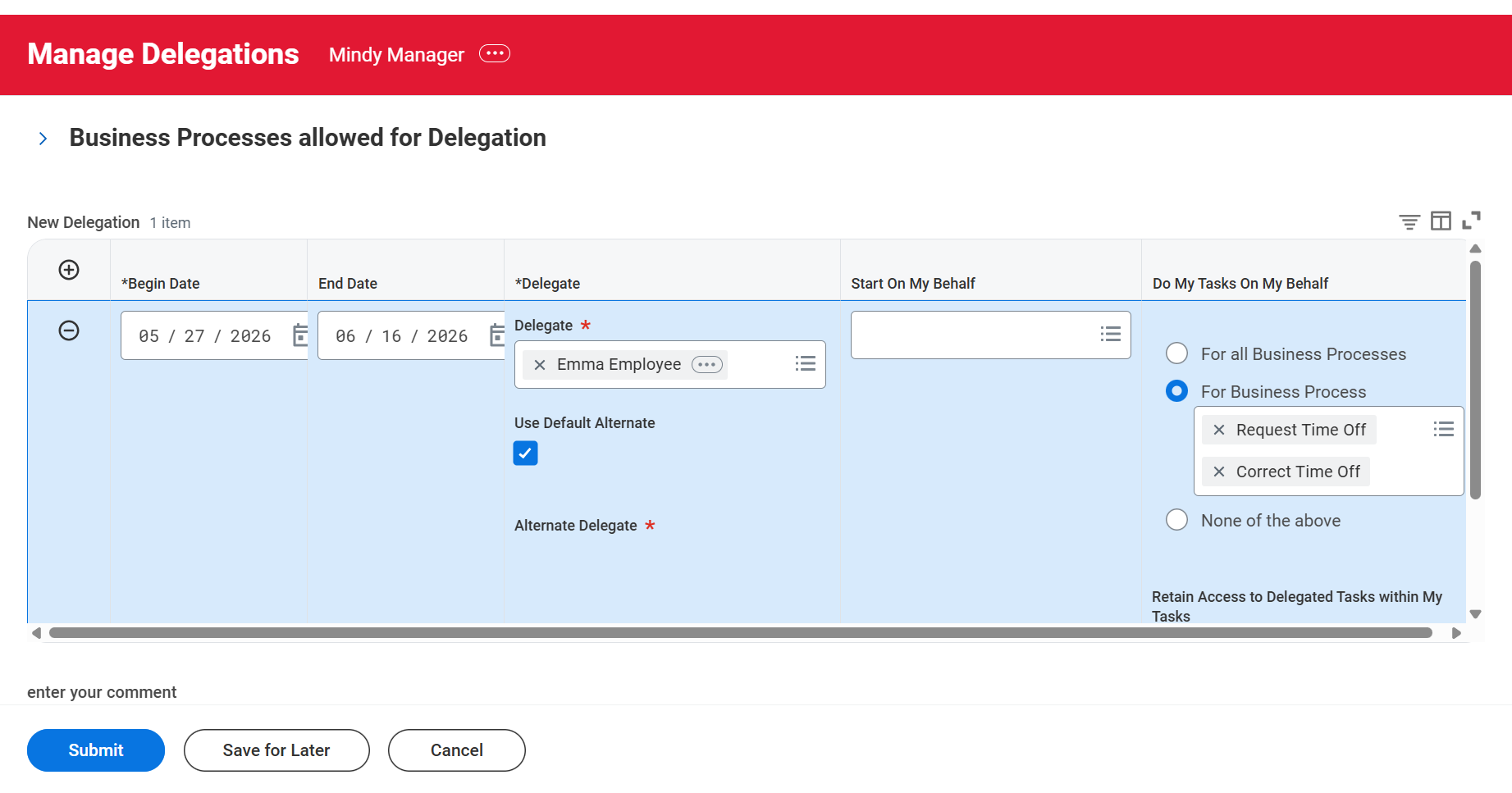
You can use the Manage Delegation task (located in My Tasks) to create new delegations as well as edit or delete existing delegations. There is a helpful job aid that guides you step-by-step on how to manage delegations.
To delegate specifically Time Off Approvals, select Request Time Off and Correct Time Off as the Business Processes under the Do My Tasks On My Behalf section when setting up the delegation.
Key Things to Know About Delegations:
- If you take the time to set up your delegations now, they will be effective for up to one year, but can be renewed.
- You can specify which tasks each delegate can perform on your behalf.
- Assigning an Alternate Delegate can ensure that a primary delegate does not receive and approve their own tasks.
- Delegates can configure Workday to receive notifications or emails about the tasks they have been delegated.
View the Delegations in Workday Job Aid for More Information