Workday is getting a refreshed, modern look starting July 6, 2026!
You’ll notice updates to the home page, search experience, and the navigation menu. Workday is introducing these changes to make Workday more intuitive and easier to use.
This article provides an overview of the two major changes to the Workday user interface.
Please note that despite these design changes, there are no changes to how you complete core tasks (like requesting time off or viewing pay).
AI-Enhanced Search
What’s Changing
The search bar and search results will look a little different and feel more intuitive. AI-enhanced search will better understand natural language, making it easier to find tasks and information.
See It In Action
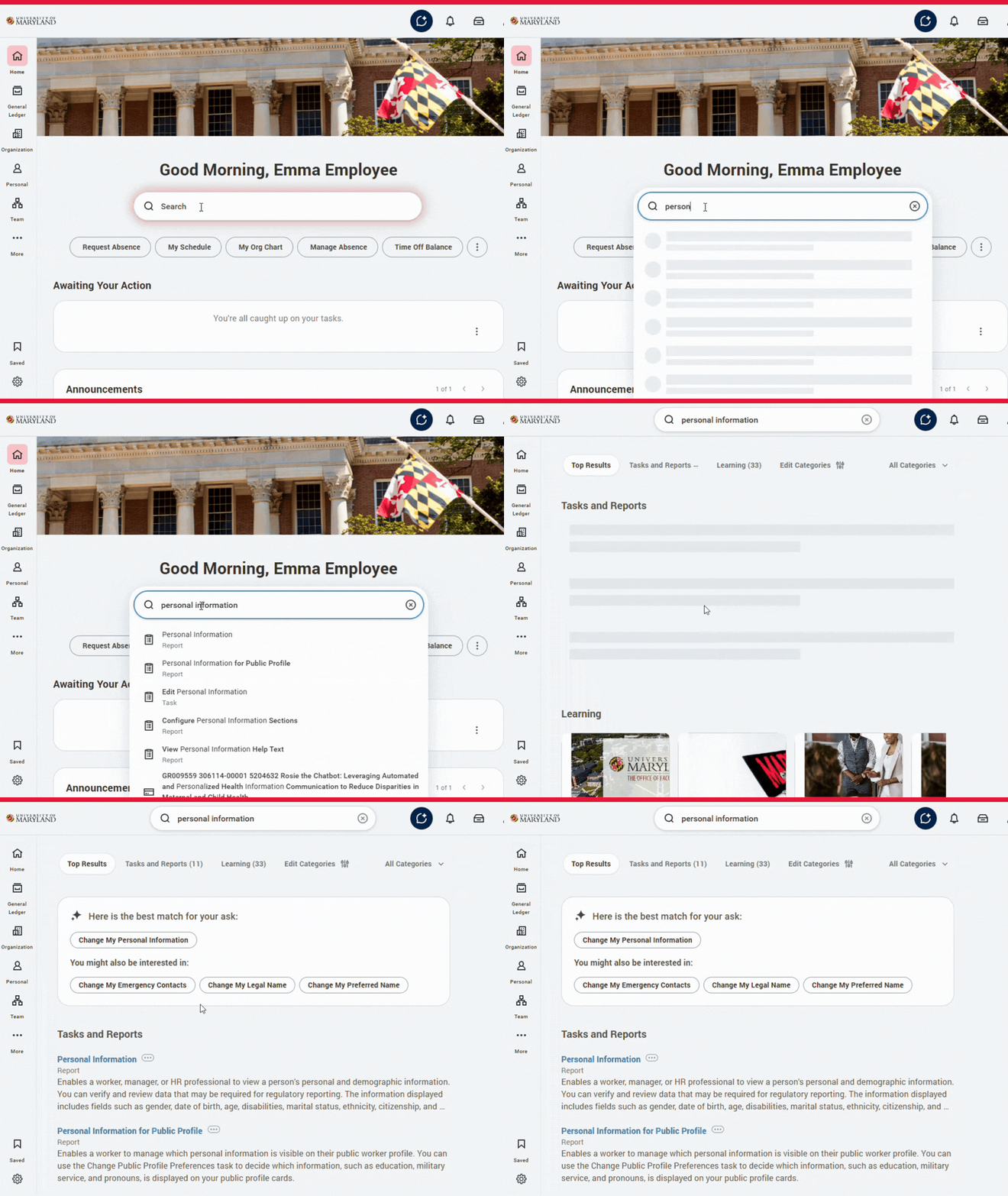
The search bar is now prominently displayed in the middle of the home page.
Within your search results, there is a new box at the top that provides the best match for your search term. This is powered by AI functionality that highlights the most relevant result based on your most frequently used items.
New Navigation Menu
What’s Changing
A revamped sidebar navigation will make it easier to quickly scan and access key pages with less clicks.
See It In Action
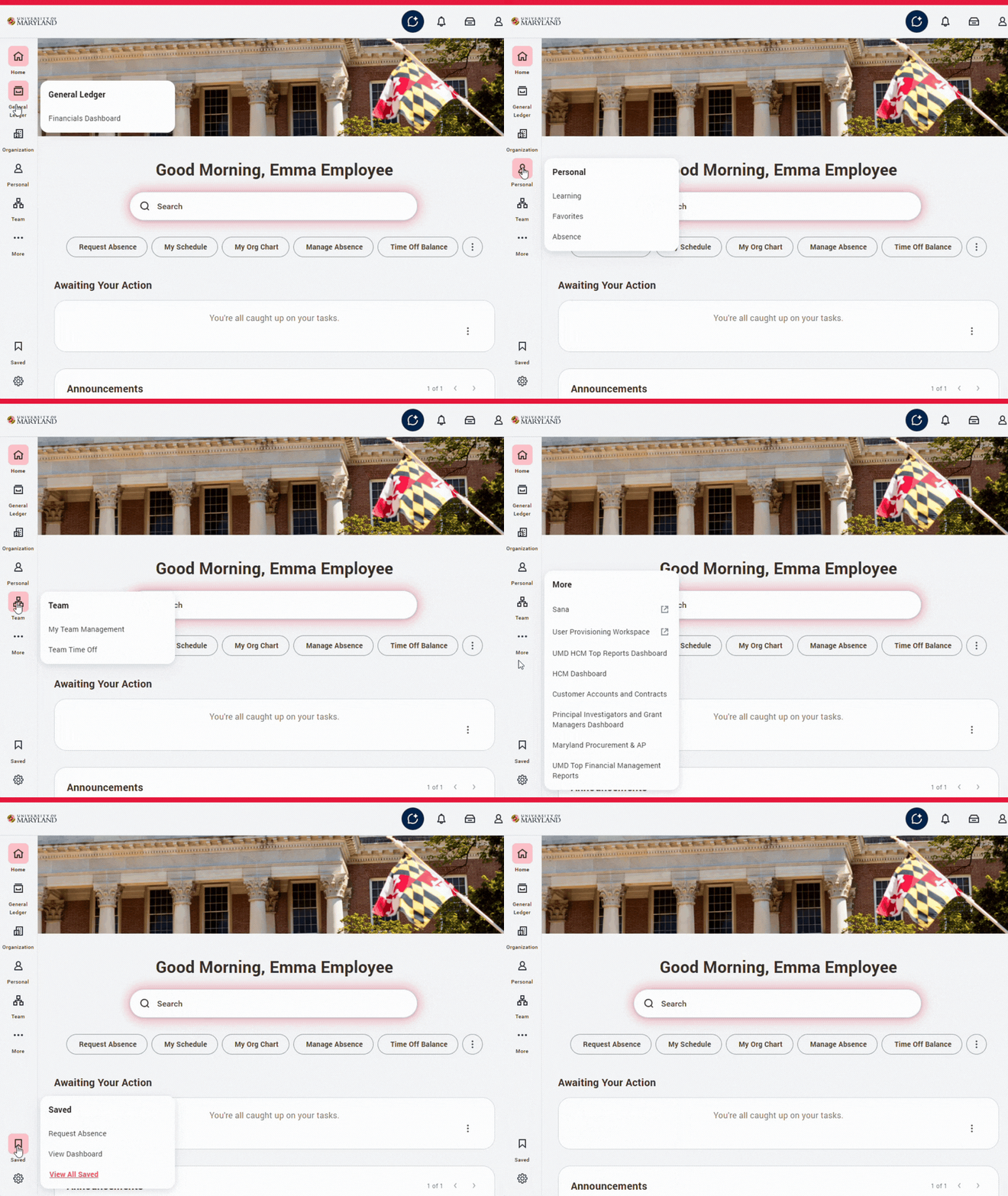
The global navigation sidebar is now always visible in a panel on the left side of every page of Workday.
You can hover over each icon to view the dashboards and applications in each category.
You can also now easily access shortcuts and favorites from the Saved bookmark icon at the bottom of the panel.