About ERP Services Training & Resources Our Work Efforts Updates & Insights Get Support Workday Login
About ERP Services Training & Resources
Workday Resource Hub Workday Learning Hubs Digital Accessibility Workday Training
Our Work Efforts
ServiceNow and Support Work Requests Workday Releases
Updates & Insights
Workday Wire
Get Support
Virtual Sessions & Office Hours Workday Virtual Agent
Workday Login
Workday Resource Hub Workday Learning Hubs Digital Accessibility Workday Training
ServiceNow and Support Work Requests Workday Releases
Workday Wire
Virtual Sessions & Office Hours Workday Virtual Agent
HR Analysts

Improvement to Security Roles Visibility

Home Improvement to Security Roles Visibility

In mid-February, a new improvement was released that allows departments to easily identify security role assignments for positions and workers.

Position Restrictions will have a “security roles for position” tab displaying the security permissions:
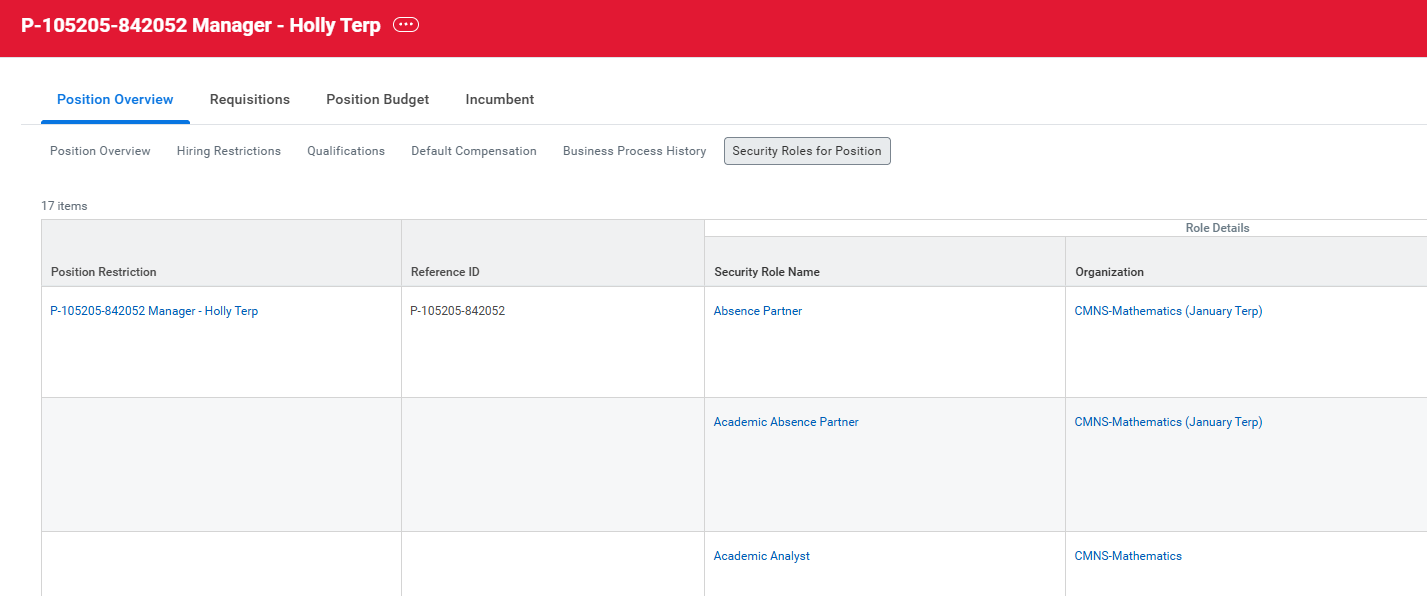
Screenshot showing that there is a new "Security Roles for Position" tab under "Position Overview" in Workday

For workers, security permissions will be visible under a new tab called “Security Roles for Worker” under the “Job” section of the worker’s profile. 
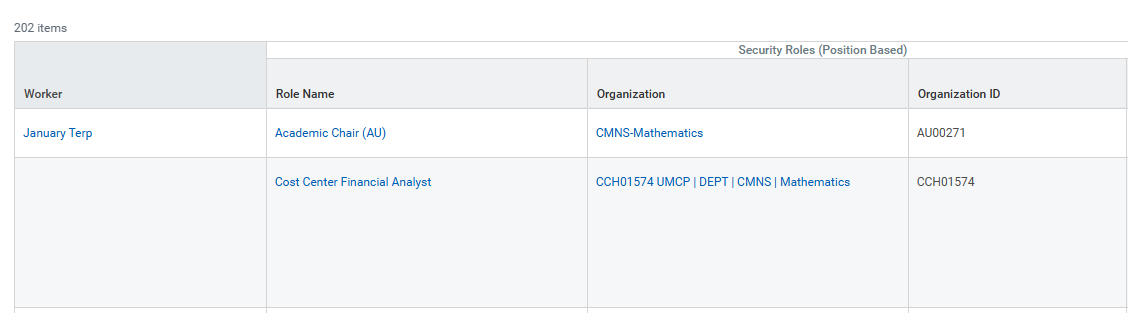
Screenshot showing what "Security Roles for Worker" looks like for workers in Workday on the worker profile.
Enterprise Resource Planning Services
Address: 5801 University Research Ct, College Park, MD 20740