During the ad hoc hiring process, Workday will allow HR Analysts to enter either a Home Address or a Work Address for the prehire. However, if a work address is entered and a home address is not, it will cause a delay for payroll. Additionally, entering a home address is a state of Maryland CPB requirement. This impacts hires who are not coming through the regular recruitment process such as Search waivers, PTK faculty, and C1s.
When hiring one of these candidates, on the Hire Employee page, HR Analysts and HR Partners are asked to provide an address, and then select the Type (either Home or Work).
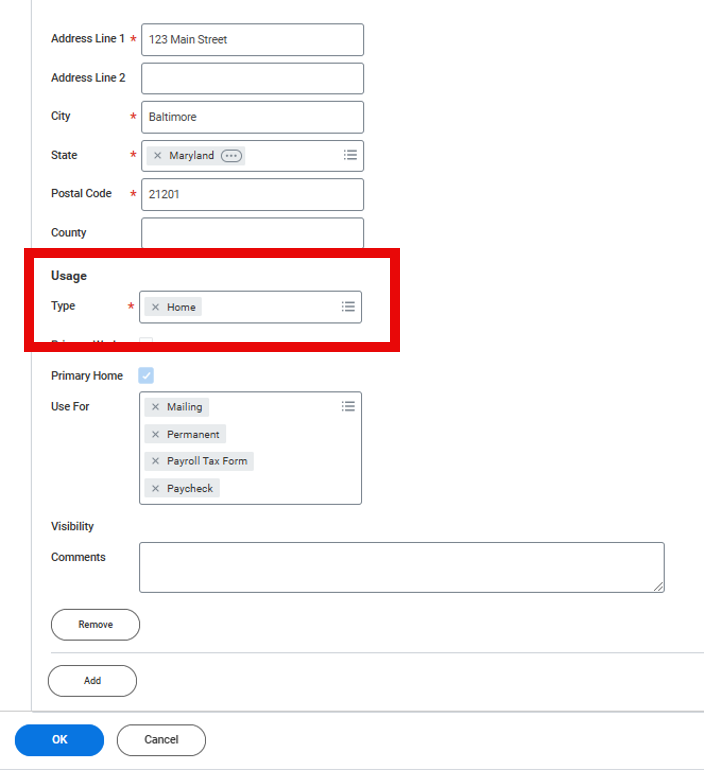
HR Analysts and HR Partners should always select and enter a Home Address during this step. This will reduce payroll delays and ensure that new employees are paid on time.
We have updated the corresponding Job Aid with more complete instructions, which you can view here. We’re exploring options within the system to ensure a home address is selected and disallow the work address option.